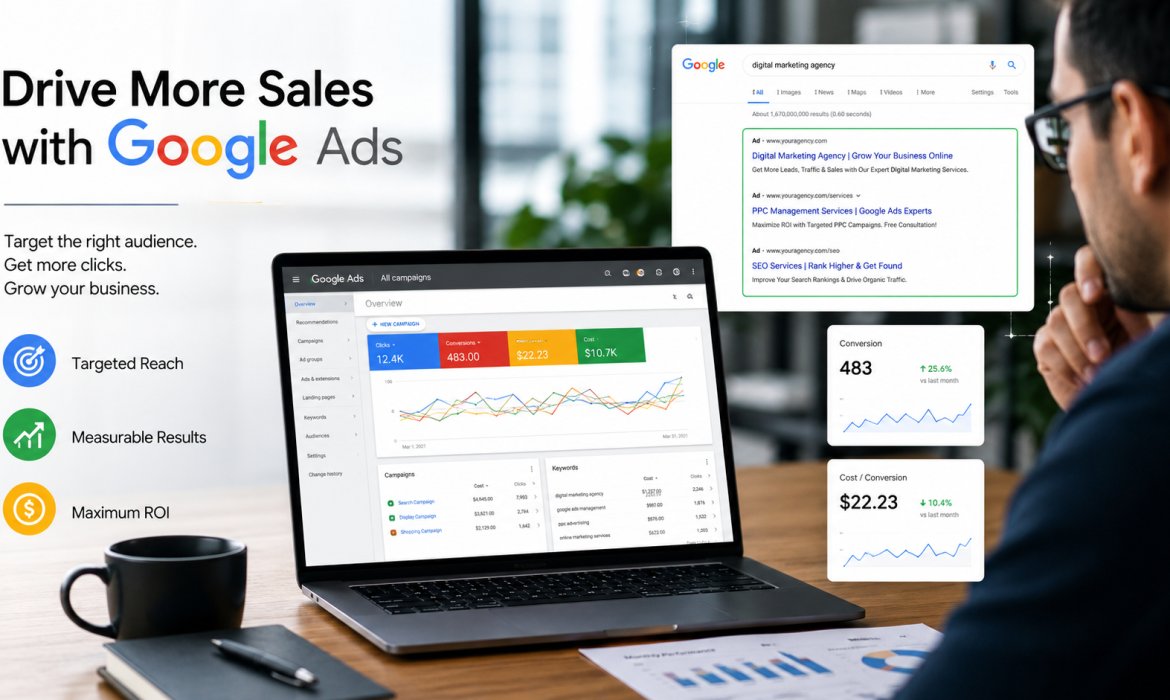
If you have ever searched for something on Google and noticed the results at the very top with a small “Sponsored” label, you have already seen Google Ads in action. This Google Ads Beginner Guide will help you understand what Google Ads is, how it works, and — most importantly — whether it is the right advertising solution for your business.
In this complete beginner guide, we will break down everything you need to know about Google Ads: what it is, how the auction system works, the different campaign types available, and how to get started without wasting your budget.
What is Google Ads?
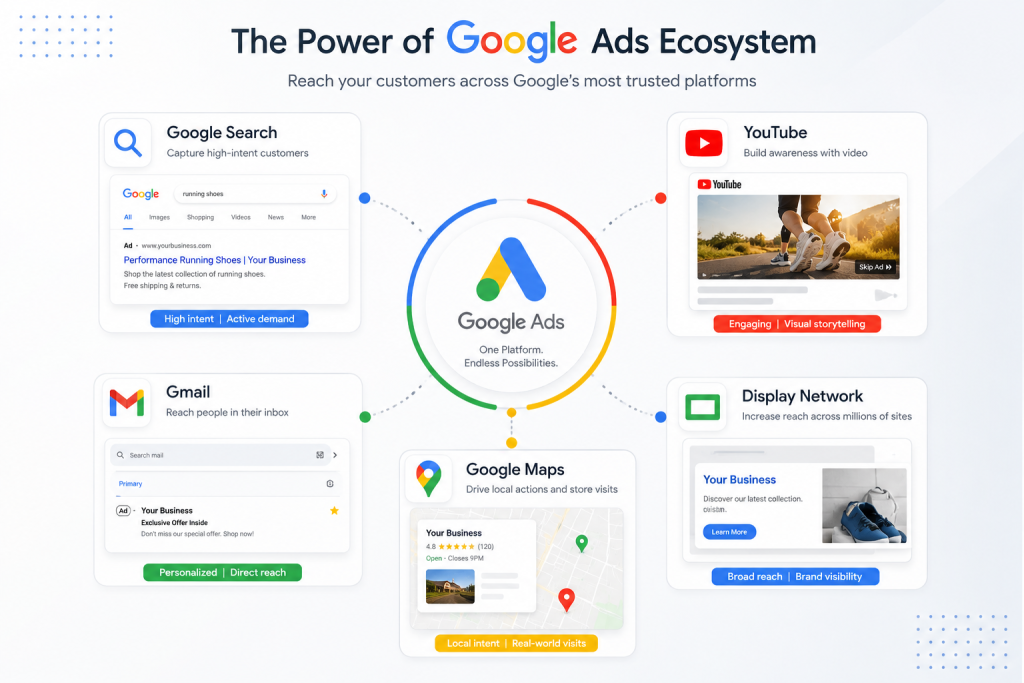
Google Ads (formerly known as Google AdWords) is Google’s online advertising platform that allows businesses to display their ads across Google Search, YouTube, Gmail, Google Maps, and millions of websites in the Google Display Network.
Unlike traditional advertising where you pay a fixed fee to show your ad to everyone, Google Ads operates on a pay-per-click (PPC) model — meaning you only pay when someone actually clicks on your ad. This makes it one of the most cost-effective advertising methods available for businesses of any size.
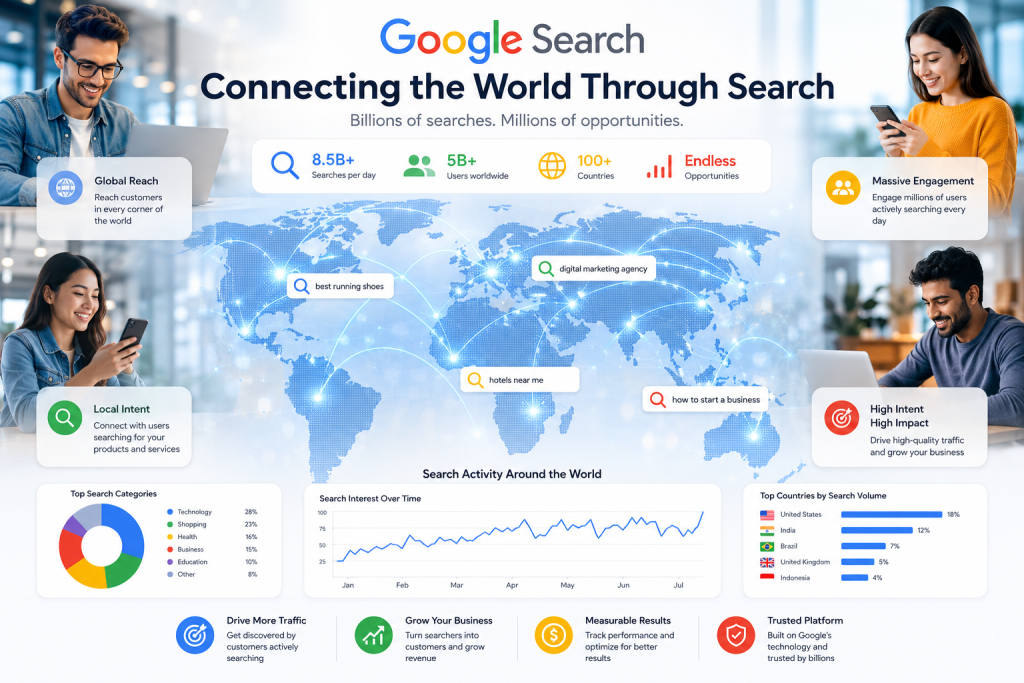
With over 8.5 billion searches processed by Google every single day, advertising on Google gives your business access to an enormous audience of people who are actively searching for products and services like yours.
How Does Google Ads Work?
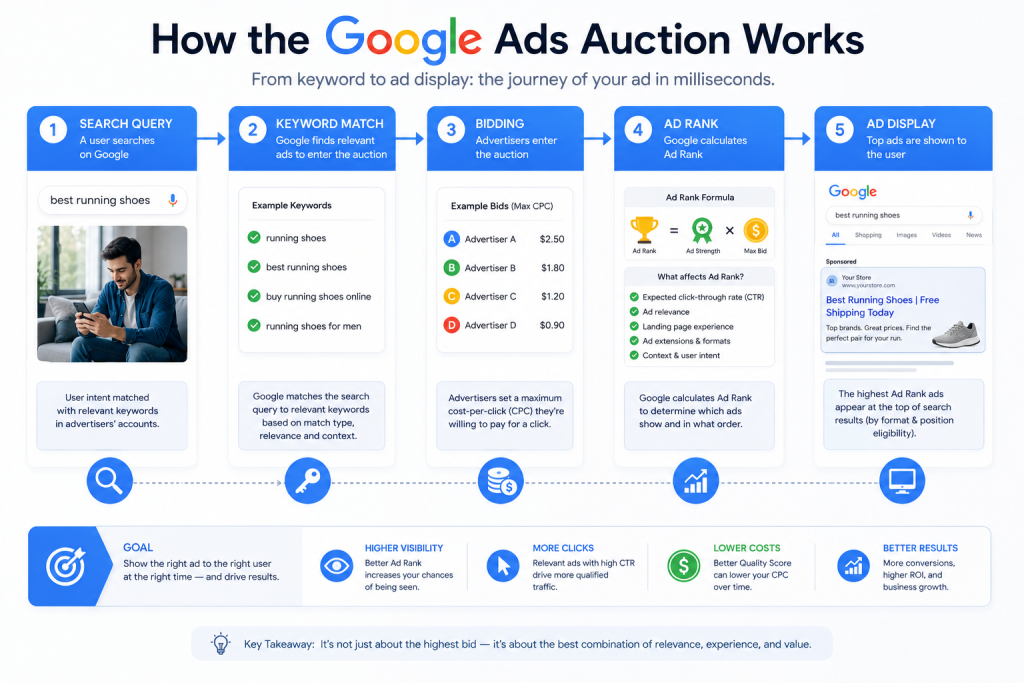
Google Ads works through a real-time auction system. Every time a user performs a search on Google, an automated auction takes place in milliseconds to decide which ads appear and in what order. Here is how the process works step by step:
Step 1: You choose your keywords
Keywords are the search terms you want your ad to appear for. For example, if you run a digital marketing agency in Pakistan, you might bid on keywords like “digital marketing agency Pakistan” or “SEO services Lahore.”
Step 2: You set your bid
Your bid is the maximum amount you are willing to pay each time someone clicks your ad. You can set bids manually or let Google’s automated bidding strategies optimise them for you based on your goals.
Step 3: Google calculates your Ad Rank
Ad Rank determines the position of your ad on the search results page. It is calculated using several factors:
- Your bid amount — how much you are willing to pay per click
- Quality Score — a rating (1–10) based on your ad relevance, expected click-through rate, and landing page experience
- Expected impact of ad extensions — additional info like phone numbers, site links, and location details
- Auction-time context — the user’s location, device, time of day, and search query
This means a higher bid does not automatically guarantee the top position. A highly relevant, well-optimised ad with a strong Quality Score can outrank a competitor bidding more money.
Step 4: Your ad is shown (or not)
If your Ad Rank is high enough, your ad appears on the search results page. You are only charged when a user actually clicks your ad — not just for it being displayed.
What is Quality Score and Why Does It Matter?
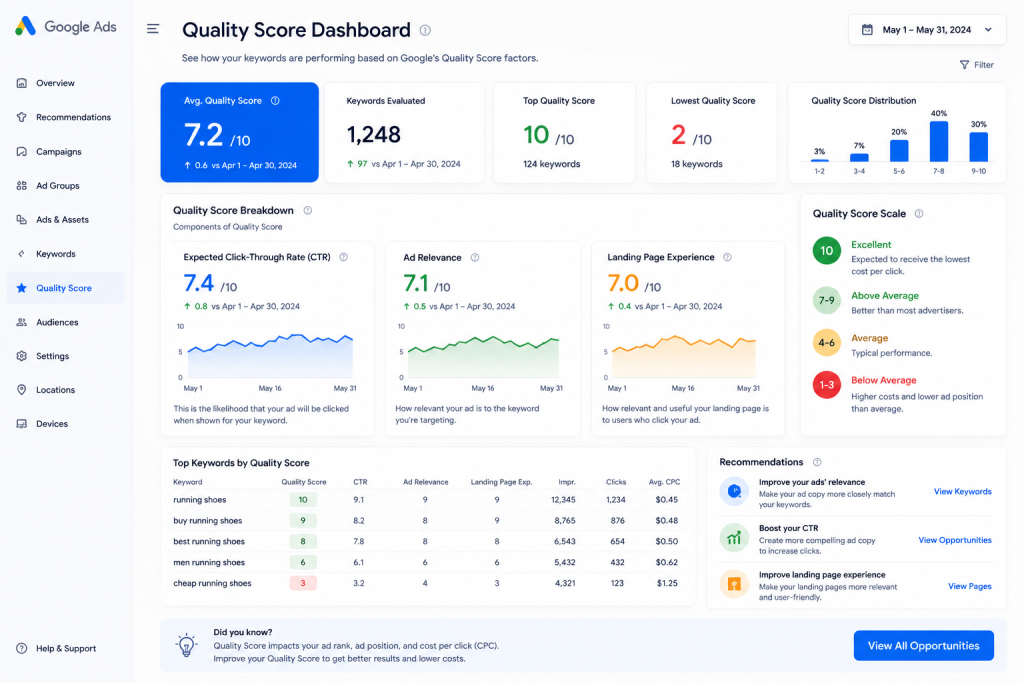
Quality Score is one of the most important concepts in Google Ads. It is Google’s rating of the quality and relevance of your ads, keywords, and landing pages on a scale of 1 to 10.
A higher Quality Score means your ads appear higher on the page, you pay less per click than competitors with lower scores, and your ads are shown more frequently. Quality Score is determined by three main factors:
- Expected click-through rate (CTR): How likely users are to click your ad when it appears
- Ad relevance: How closely your ad matches the intent of the user’s search query
- Landing page experience: How useful, fast, and relevant your landing page is after someone clicks
Types of Google Ads Campaigns
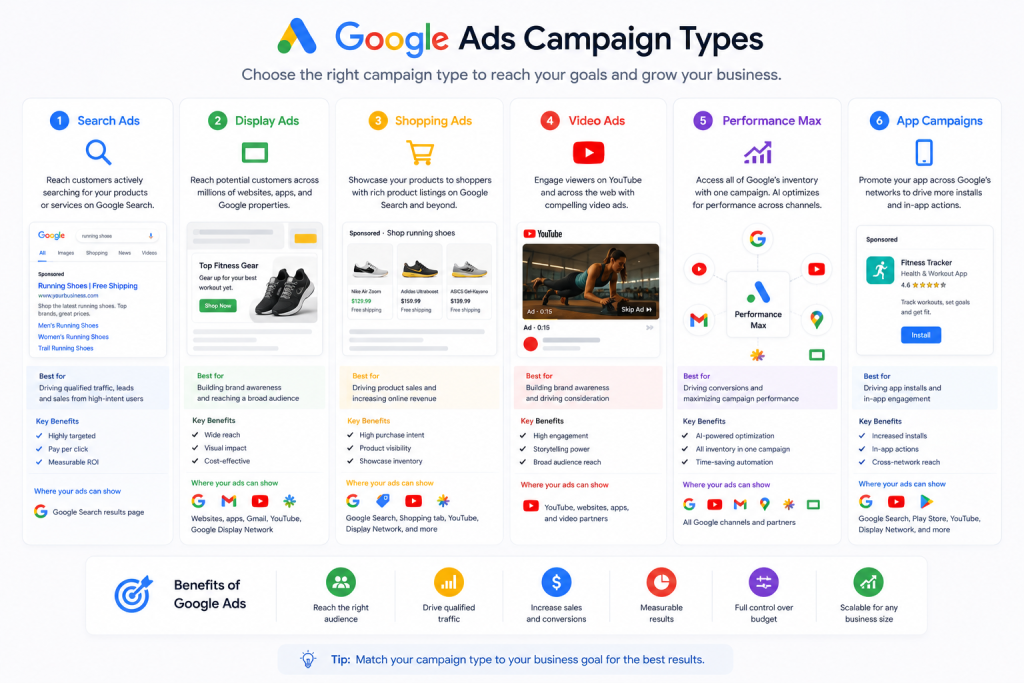
Google Ads is not just about text ads in search results. There are six main campaign types, each designed for different marketing goals:
1. Search campaigns
Classic text ads that appear at the top and bottom of Google search results. Ideal for capturing people who are actively searching for your product or service right now. Search campaigns are the best starting point for most businesses.
2. Display campaigns
Image or banner ads that appear across more than two million websites, apps, and Google-owned platforms. Excellent for building brand awareness and remarketing to past website visitors.
3. Shopping campaigns
Shopping ads show your product image, price, and store name directly in search results. If you run an e-commerce store, Shopping campaigns are among the most effective ways to drive sales.
4. Video campaigns
Video ads run on YouTube and across the Google Display Network. Powerful for storytelling, brand building, and reaching large audiences at a lower cost per impression.
5. Performance Max campaigns
Google’s AI-powered campaign type that automatically shows your ads across all of Google’s channels — Search, Display, YouTube, Gmail, Maps, and Discover — from a single campaign. Ideal for businesses that want maximum reach with minimal manual management.
6. App campaigns
Designed to promote mobile apps across Google Search, Play Store, YouTube, and the Display Network to drive installs and in-app actions.
Google Ads Keyword Match Types Explained
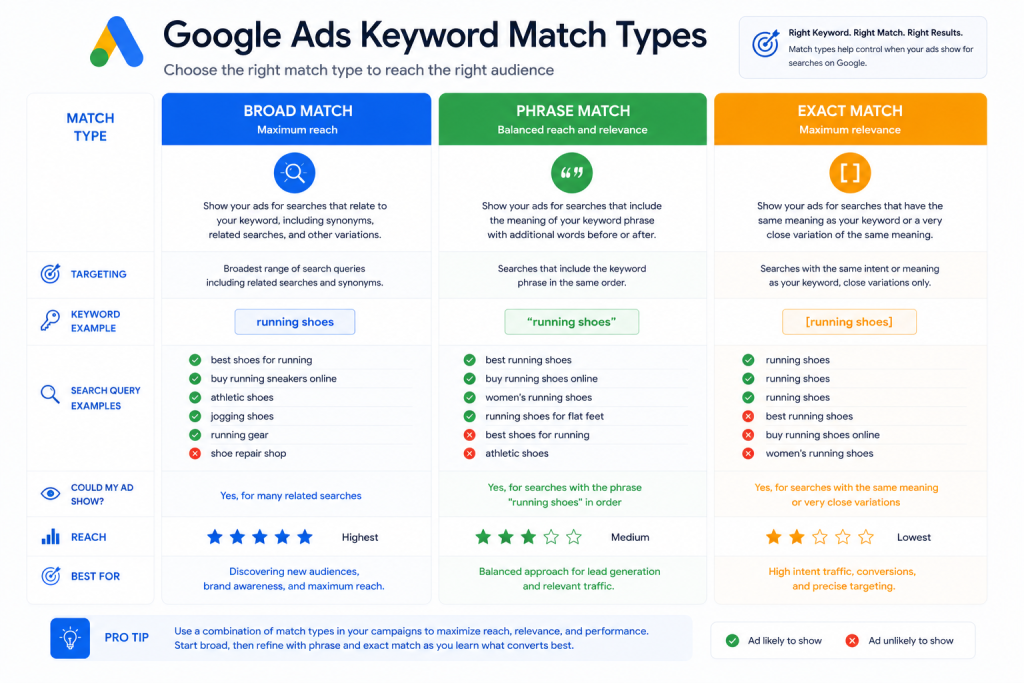
Keyword match types control how closely a user’s search query must match your keyword before your ad is triggered. Getting this right protects your budget from irrelevant clicks.
- Broad Match: Your ad can appear for searches related to your keyword, including synonyms and variations. Example: keyword “running shoes” might trigger “jogging trainers.”
- Phrase Match: Your ad appears for searches that include the meaning of your keyword. Example: “digital marketing agency” might trigger “best digital marketing agency in Karachi.”
- Exact Match: Your ad only appears for searches that have essentially the same meaning as your exact keyword. Example: [Google Ads Pakistan] shows only for very close matches to that phrase.
How Much Does Google Ads Cost?
There is no minimum spend requirement for Google Ads. You can start with a small daily budget and scale up as you see results. Your costs are primarily determined by your industry competitiveness, your Quality Score, your target location, and your daily budget cap.
For Pakistani businesses, Google Ads can be extremely cost-effective. Many industries see an average cost-per-click (CPC) between PKR 20 to PKR 200 depending on the niche — significantly lower than advertising in Western markets. Competitive niches like finance, insurance, and real estate tend to have higher CPCs.
How to Set Up Your First Google Ads Campaign
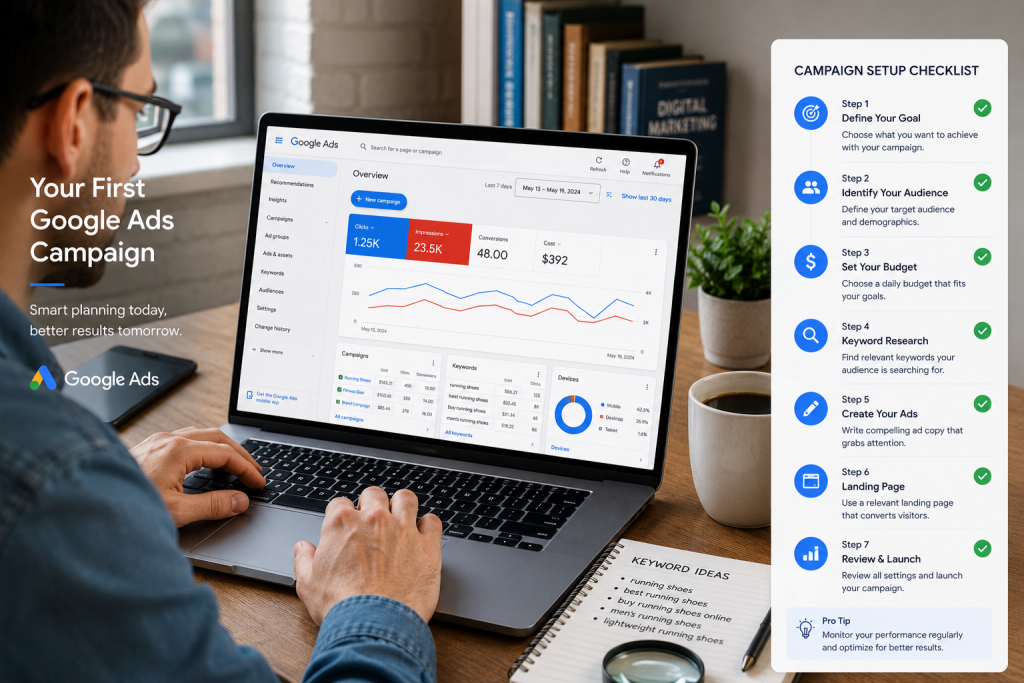
Getting started with Google Ads is more straightforward than most people expect. Follow these steps:
- Create a Google Ads account at ads.google.com using your existing Google account
- Choose your campaign objective — sales, leads, website traffic, brand awareness, or app promotion
- Select your campaign type — Search campaigns are recommended for beginners
- Set your target location and language — for example, Pakistan, English and Urdu
- Choose your keywords using Google Keyword Planner to find relevant terms
- Write your ads — up to 15 headlines and 4 descriptions that are compelling and relevant
- Set your daily budget — start conservative and increase based on performance
- Add ad extensions — sitelinks, callouts, call extensions, and location extensions boost performance significantly
- Launch and monitor — review daily for the first week, then weekly as you optimise
Common Google Ads Mistakes to Avoid
- Not using negative keywords: Negative keywords prevent your ads from showing for irrelevant searches. Build your negative keyword list from day one.
- Sending traffic to your homepage: Always send ad clicks to a dedicated landing page that matches what the ad promises.
- Ignoring Quality Score: A low Quality Score means paying more for worse positions. Always work on improving ad relevance and landing page quality.
- Setting and forgetting: Google Ads requires ongoing monitoring. Check campaigns regularly and pause underperforming keywords.
- Not tracking conversions: Without conversion tracking you cannot measure what is working. Set this up before spending any budget.
Conclusion
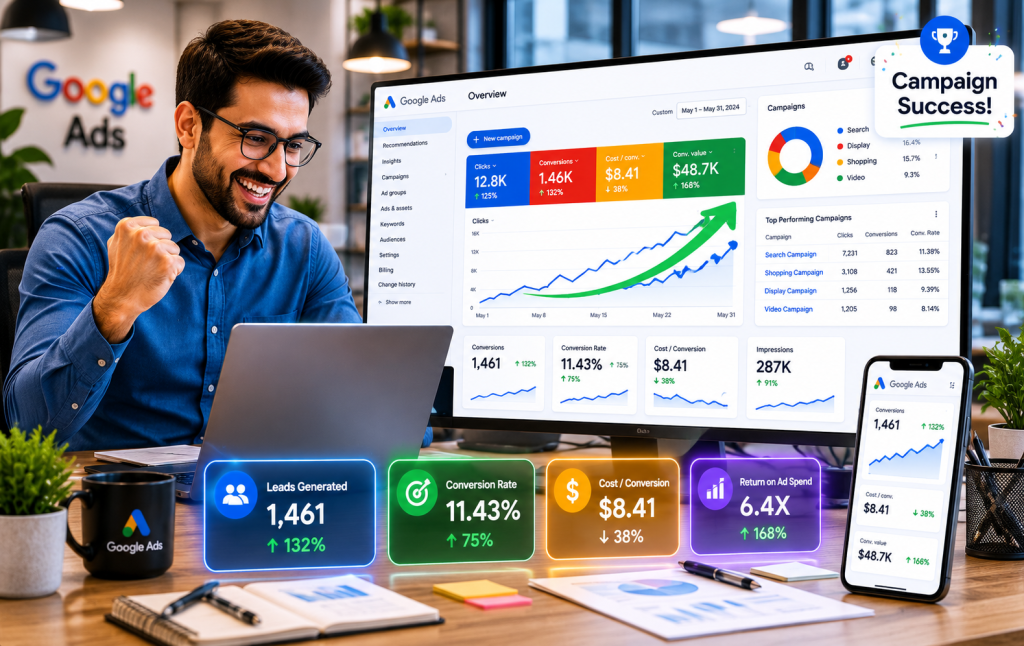
Google Ads is one of the most powerful and measurable advertising tools available to businesses today. By understanding how the auction system works, what affects your Quality Score, and which campaign type suits your goals, you can run ads that drive real results without wasting your budget.
The key to success with Google Ads is starting simple, tracking everything, and continuously optimising based on data. If you are ready to start running Google Ads for your business but are not sure where to begin, SNK Marketing manages Google Ads campaigns for businesses across Pakistan — from setup to ongoing optimisation.
Get in touch with us today:
Website: snkmarketing.pk/contact-us/
WhatsApp: +92 310 5055190
Email: info@snkmarketing.pk